ご案内
このたび、決済代行会社の利用規約の変更に伴い、対象のオーナーの皆さまには「お支払い方法」の再登録と「メインのお支払い方法」の設定をお願いしております。
再登録いただけない場合、期日以降から支払い手続きができなくなるため、ご対応をお願いいたします。
対象
「お支払い方法の再登録について」の通知が配信された、LINE公式アカウントにお支払い方法を登録されているオーナーの皆さま
本件の影響を受ける主なサービス
再登録期限
2025年9月7日
※当初2025年8月25日とご案内しておりましたが、2025年9月7日に変更となりました。
目次
1. Web版管理画面(PC)でのお支払い方法の確認
「設定」の「お支払い方法」をクリックしてください。

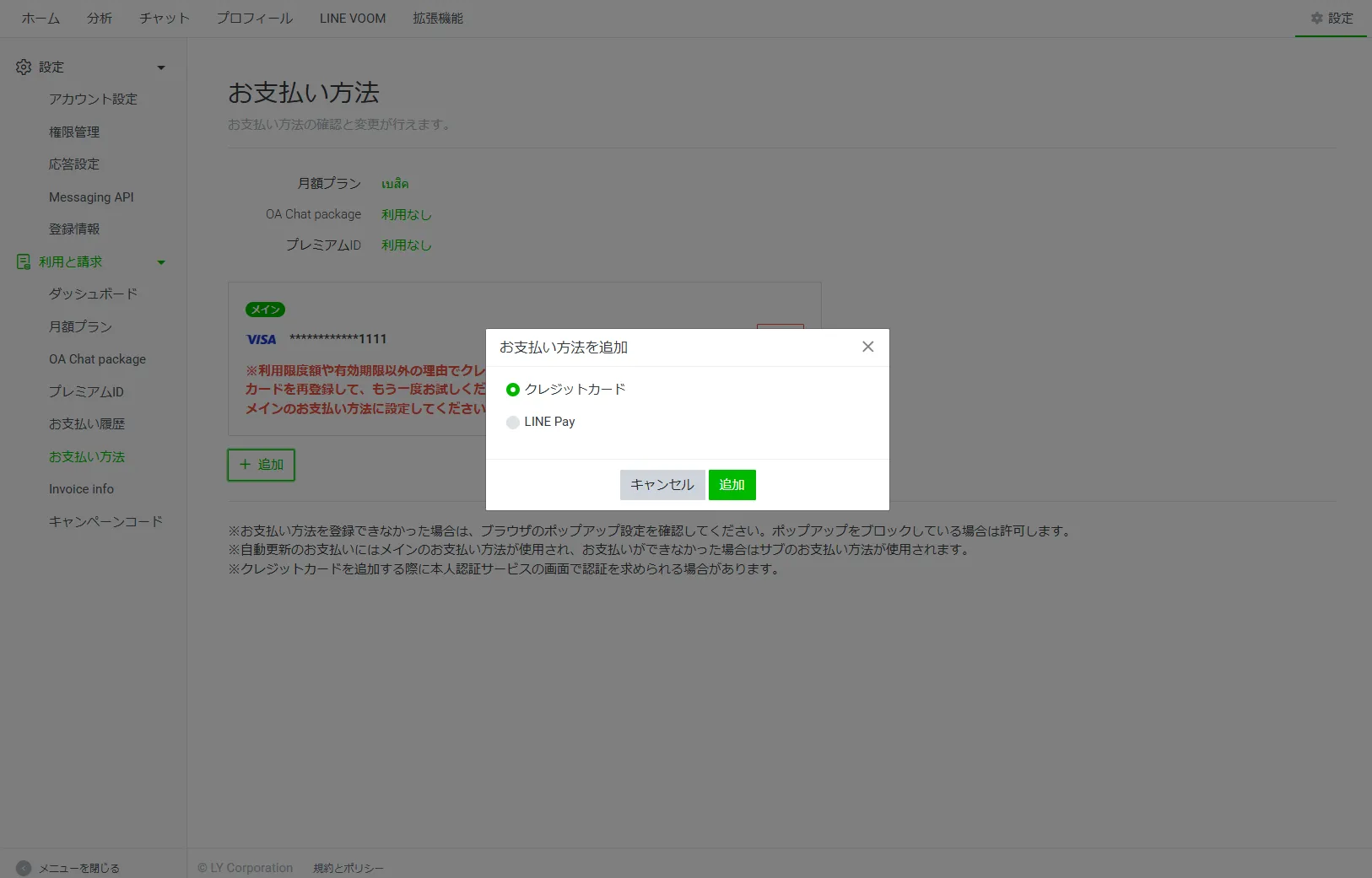
2. Web版管理画面(PC)でのお支払い方法の再登録
1.「+追加」をクリックして、お支払い方法の再登録をおねがいします。
同じクレジットカードを再登録もしくは新しいクレジットカードを登録してください。
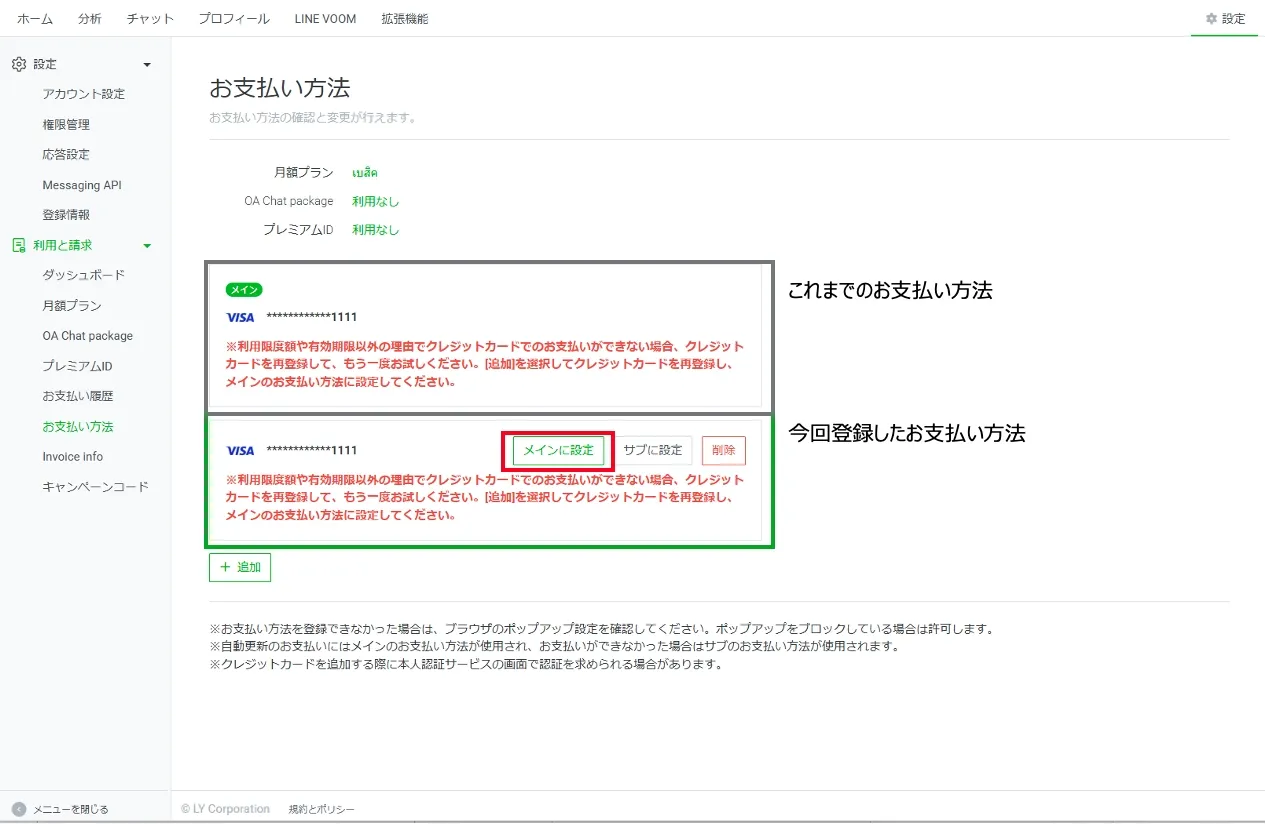
2. 1で登録したお支払い方法が一番下に追加されます。 このお支払い方法の「メインに設定」をクリックします。
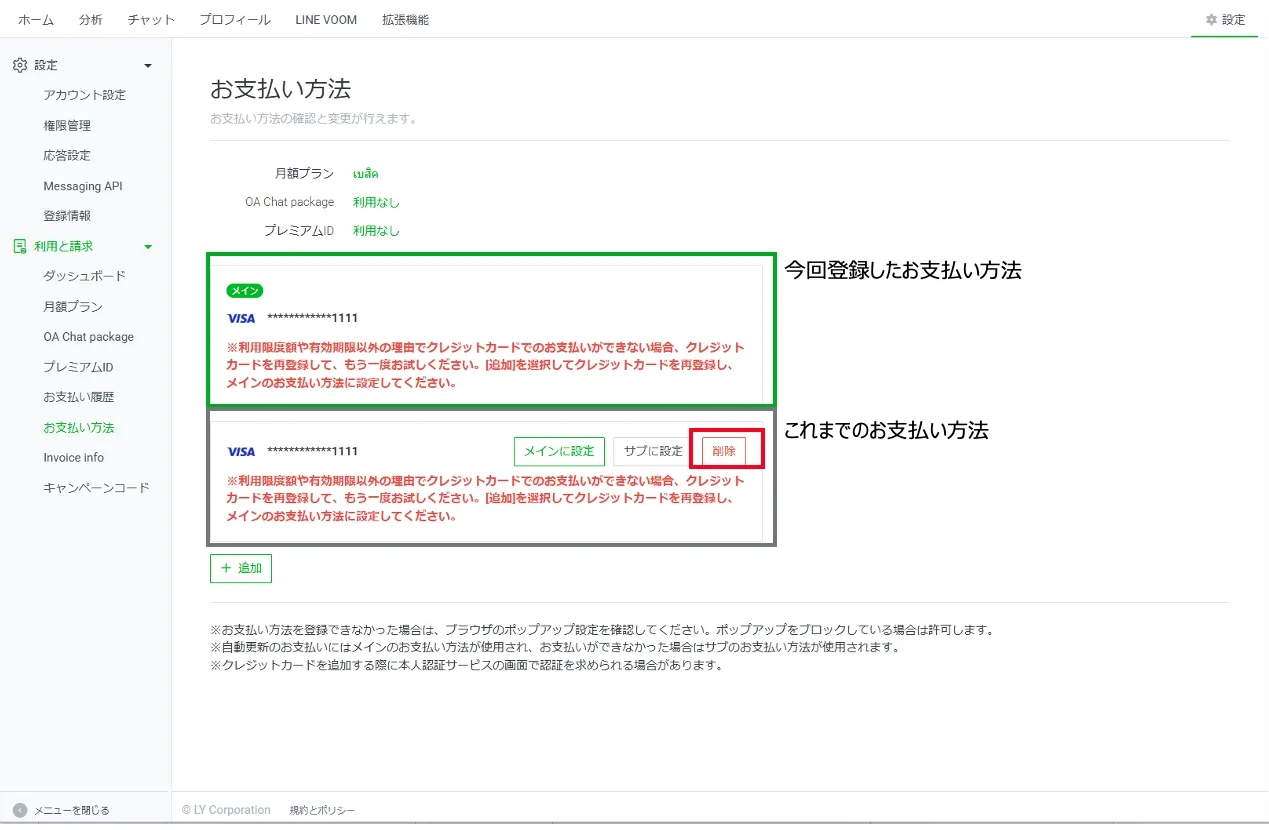
3. これまでのお支払い方法が一番下に切り替わります。このお支払い方法を「削除」してください。
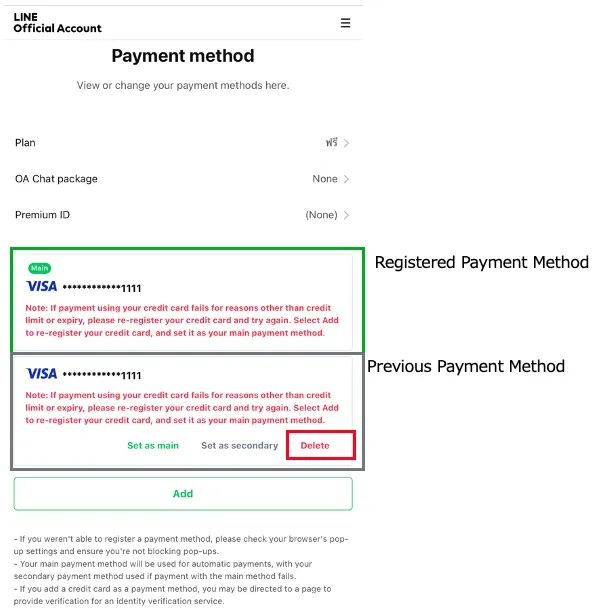
3. 管理アプリ(スマートフォン)でのお支払い方法の確認
管理アプリ内では確認ができません。「スマートフォンブラウザ向け購入画面」よりログインのうえ、「お支払い方法」をご確認ください。
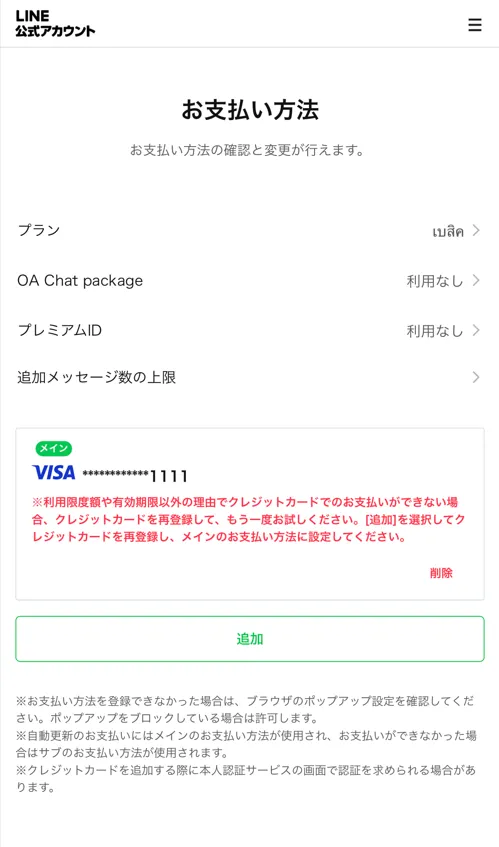
4. 管理アプリ(スマートフォン)でのお支払い方法の再登録
1.「+追加」をタップして、お支払い方法の再登録をおねがいします。
同じクレジットカードを再登録もしくは新しいクレジットカードを登録してください。
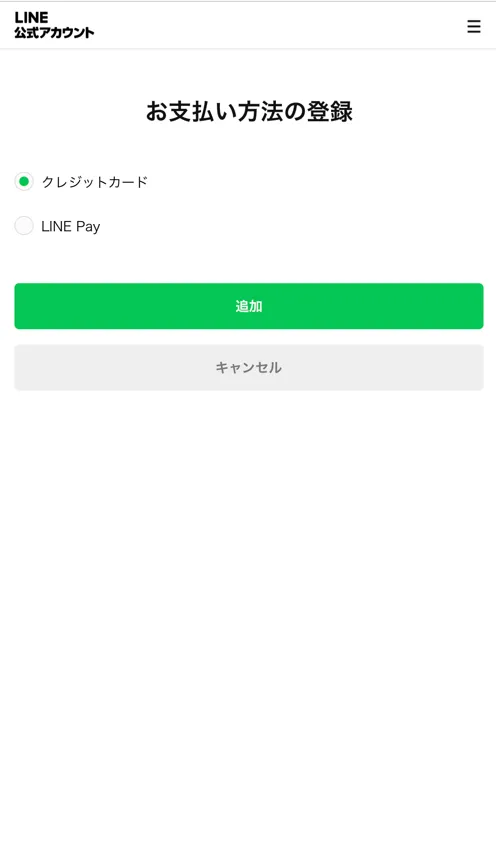
2. 1で登録したお支払い方法が一番下に追加されます。 このお支払い方法の「メインに設定」をタップします。
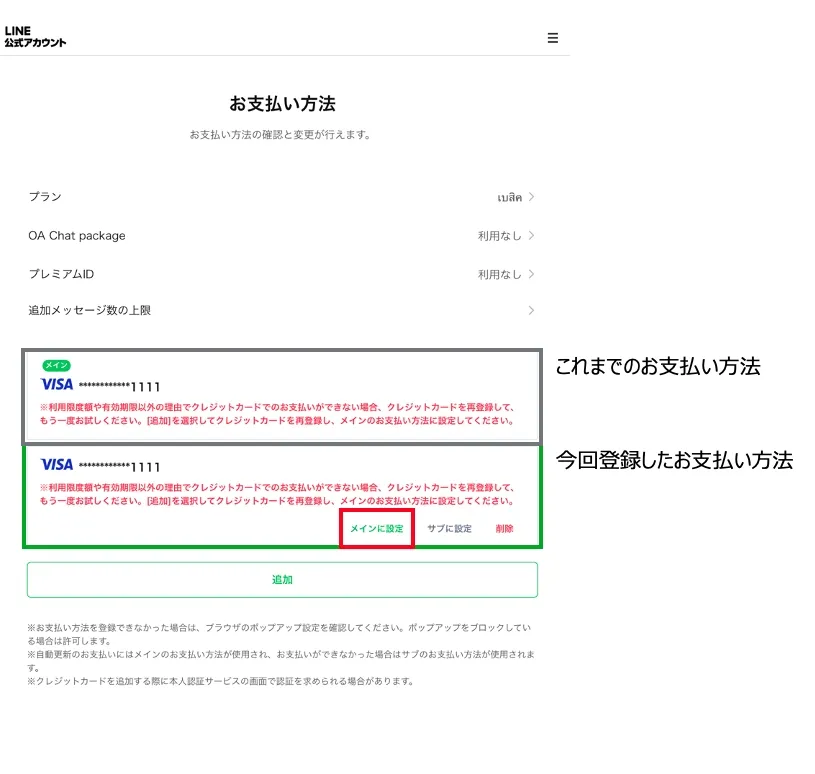
3. これまでのお支払い方法が一番下に切り替わります。このお支払い方法を「削除」してください。

Notice
Due to a change in the terms of service of the settlement agent, we are asking all eligible owners to re-register their “payment method” and set their “main payment method”.
If you do not re-register by the deadline, payment processing will become unavailable. We appreciate your cooperation.
Subject
Owners who have registered their payment method on their official LINE account and have received the “Re-register Payment Method” notification
Main services affected by this issue
LINE Official Accounts
Re-registration deadline
September 7, 2025
※Please note that the date has been changed from the originally announced August 25, 2025, to September 7, 2025.
Table of Contents
1. Confirmation of payment method on PC
Click on “Settings” and then “Payment Method”
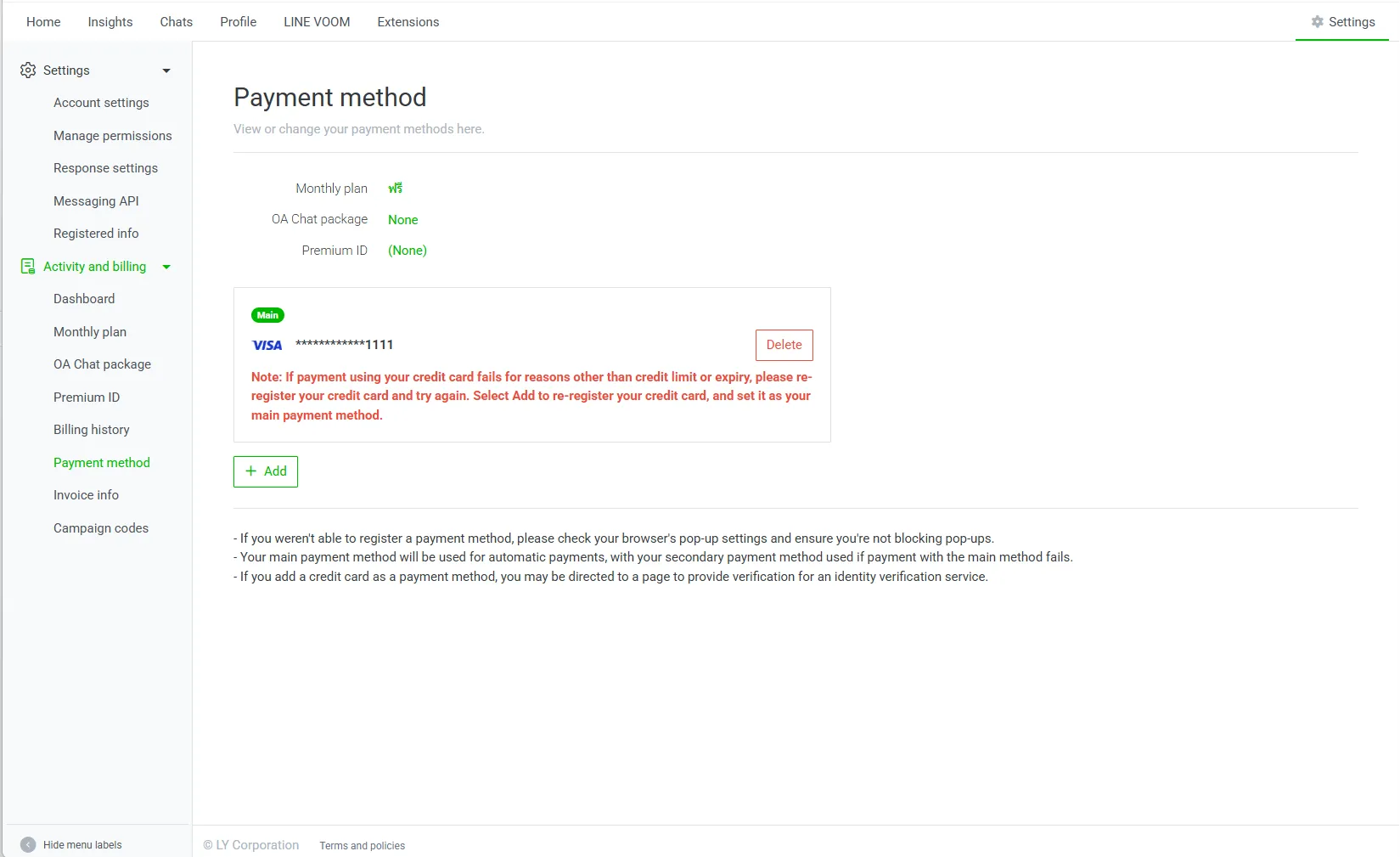
2. Re-register your payment method on PC
1. Click “+Add” to re-register your payment method.
Re-register the same credit card or register a new credit card.
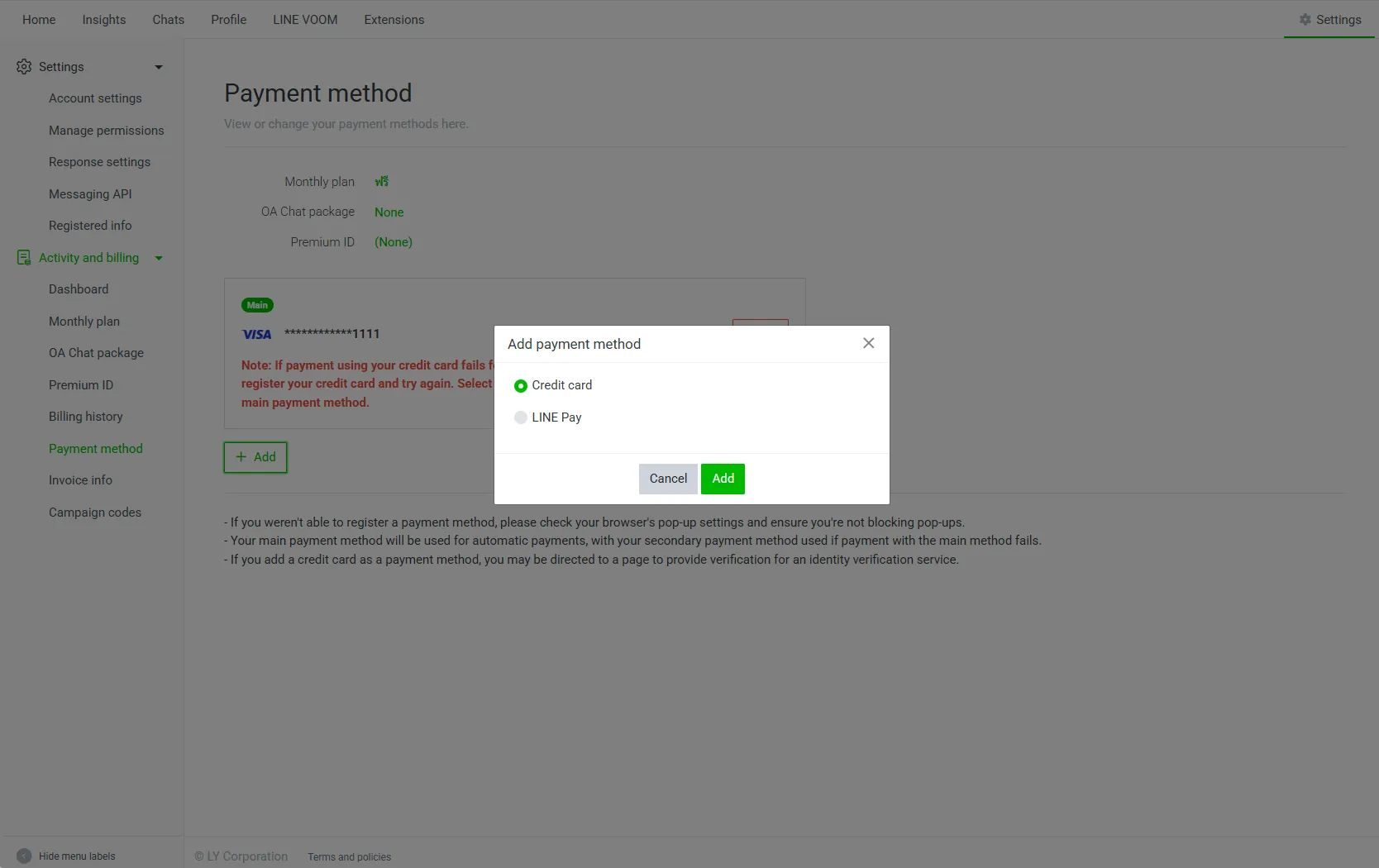
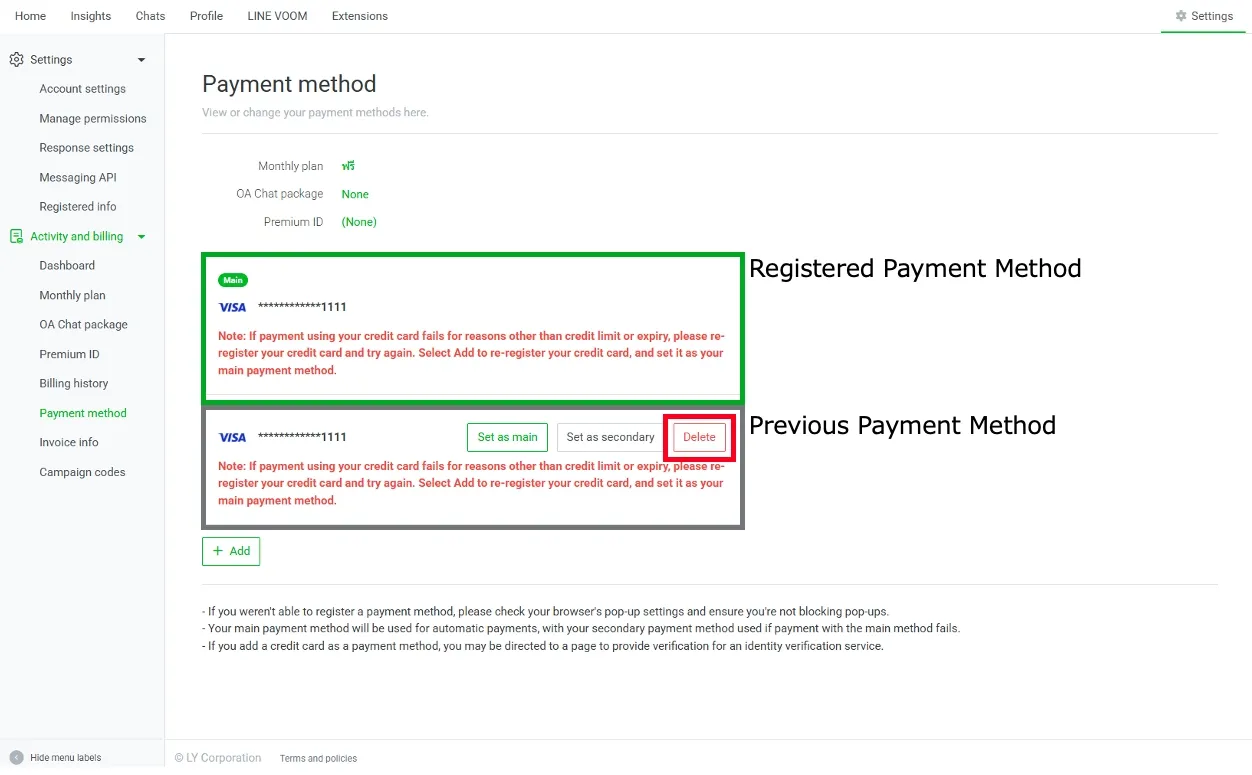
2.The payment method you registered in step 1 will be added to the bottom of the page. Click “Set as Main” for this payment method.

3.The previous payment method will be switched to the bottom.
Delete this payment method.
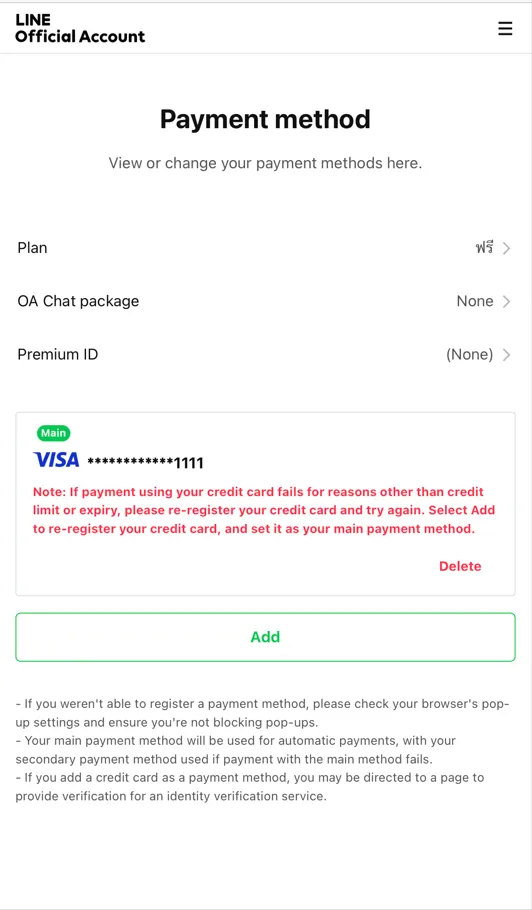
3.Confirming your payment method on smartphone
You cannot check your payment method from within the management application. Please login from the “Purchase screen for smartphone browsers” and check the “Payment method”.
4. re-register your payment method on smartphone
Tap “+Add” to re-register your payment method. Re-register the same credit card or register a new credit card.
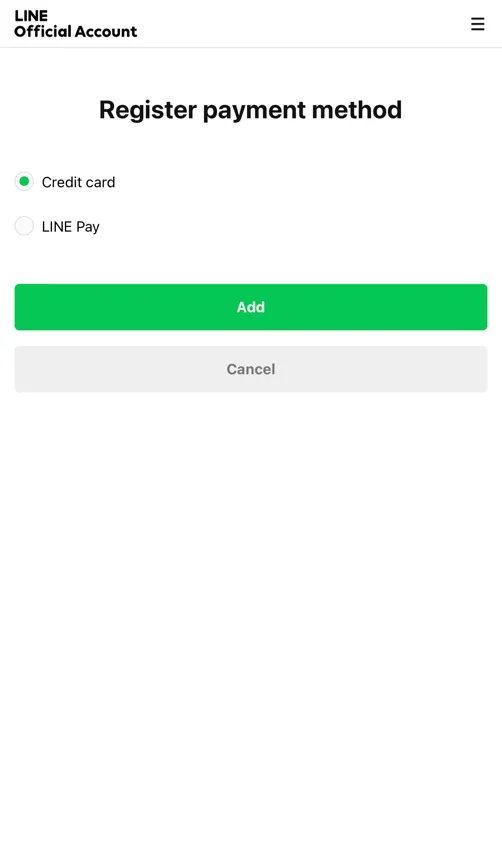
2. The payment method registered in step 1 will be added to the bottom of the screen. Tap “Set as Main” for this payment method.
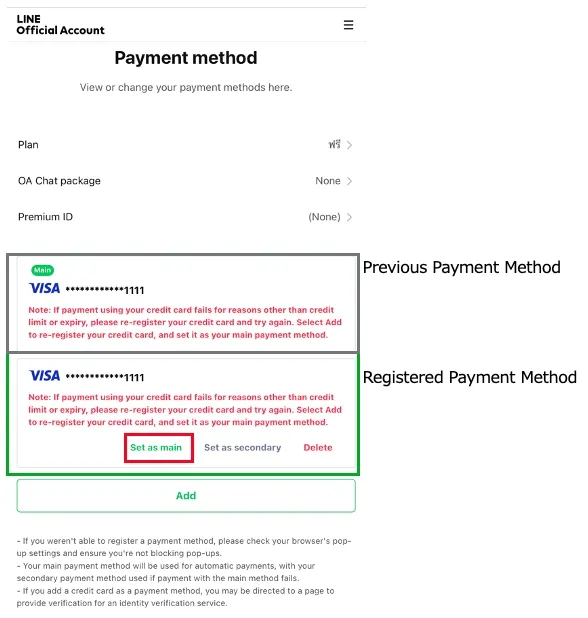
3. The previous payment method will be switched to the bottom of the list. Delete this payment method.